Word Islamic Encyclopedia · formerly Mushaf Word

Quran text and Islamic reference books in Word

Insert Quran text in Uthmani script following the Madinah Mushaf, with Tajweed coloring for Hafs, Warsh and Qalun. Read and search Islamic sources, insert cited passages, and save your research sessions to resume where you left off—all within Microsoft Word.

14-day trial · Features depend on edition and eligibility

Using the add-inMicrosoft Word
Uthmani script · Madinah Mushaf
Insert · Search · Cite · Format
8Recitations from four readers

Asim, Nafi, Abu Amr al-Basri and Ibn Kathir al-Makki.

45Translations of Quran meanings

From QuranEnc, with translator and source attribution.

9Islamic encyclopedias

A catalog of 8,589 books, available for download as needed.

Uthmani scriptFollowing the Madinah Mushaf

Insert Quran text with fonts from the official King Fahd Complex sources.

Digital MuftiResearch assistant

An incomplete experimental service with sources to review, not a fatwa authority.

Root searchAnd word-based search

Search by a word or multiple words within installed, indexed books.

01The Holy Quran

Quran text, where your writing needs it

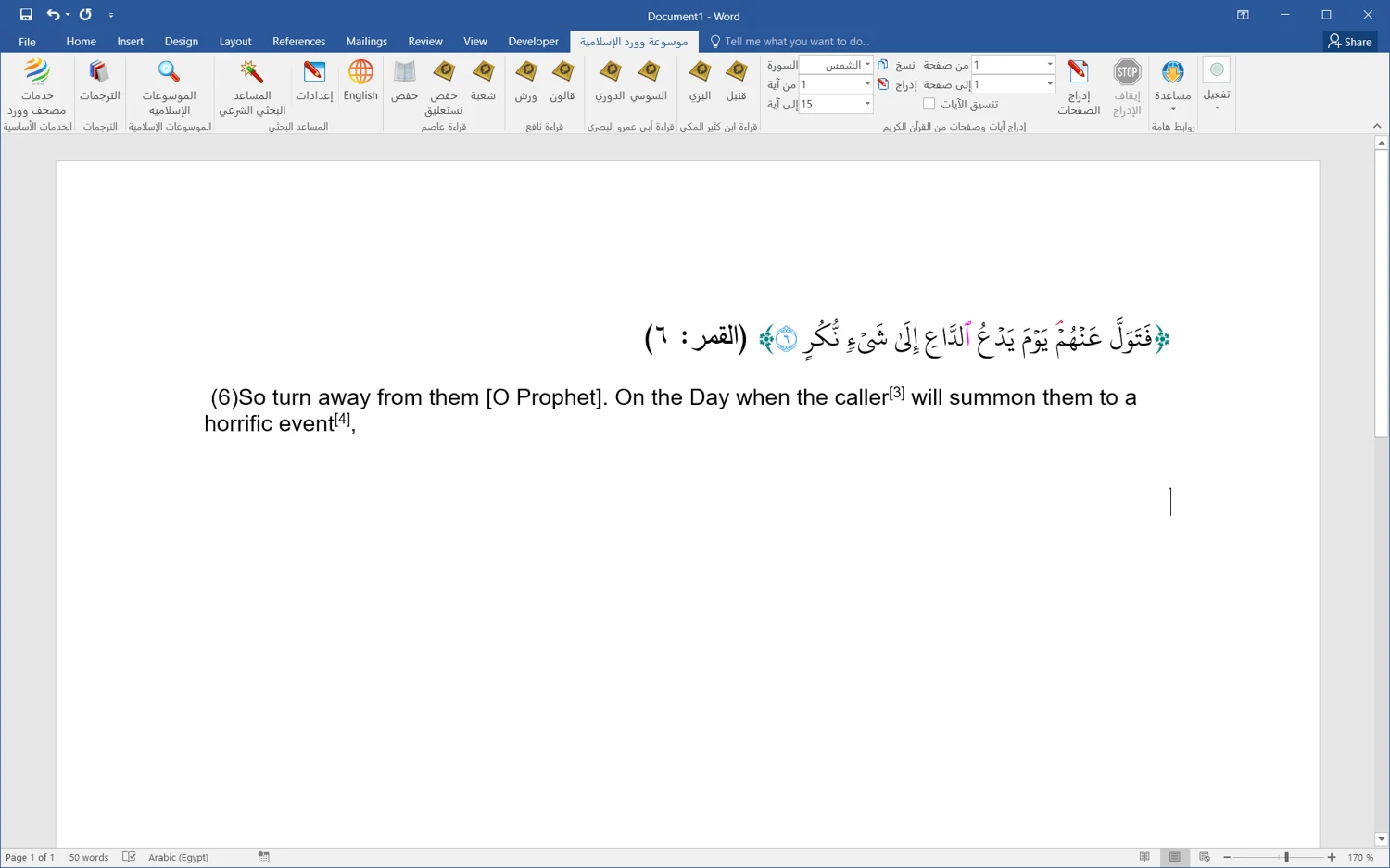
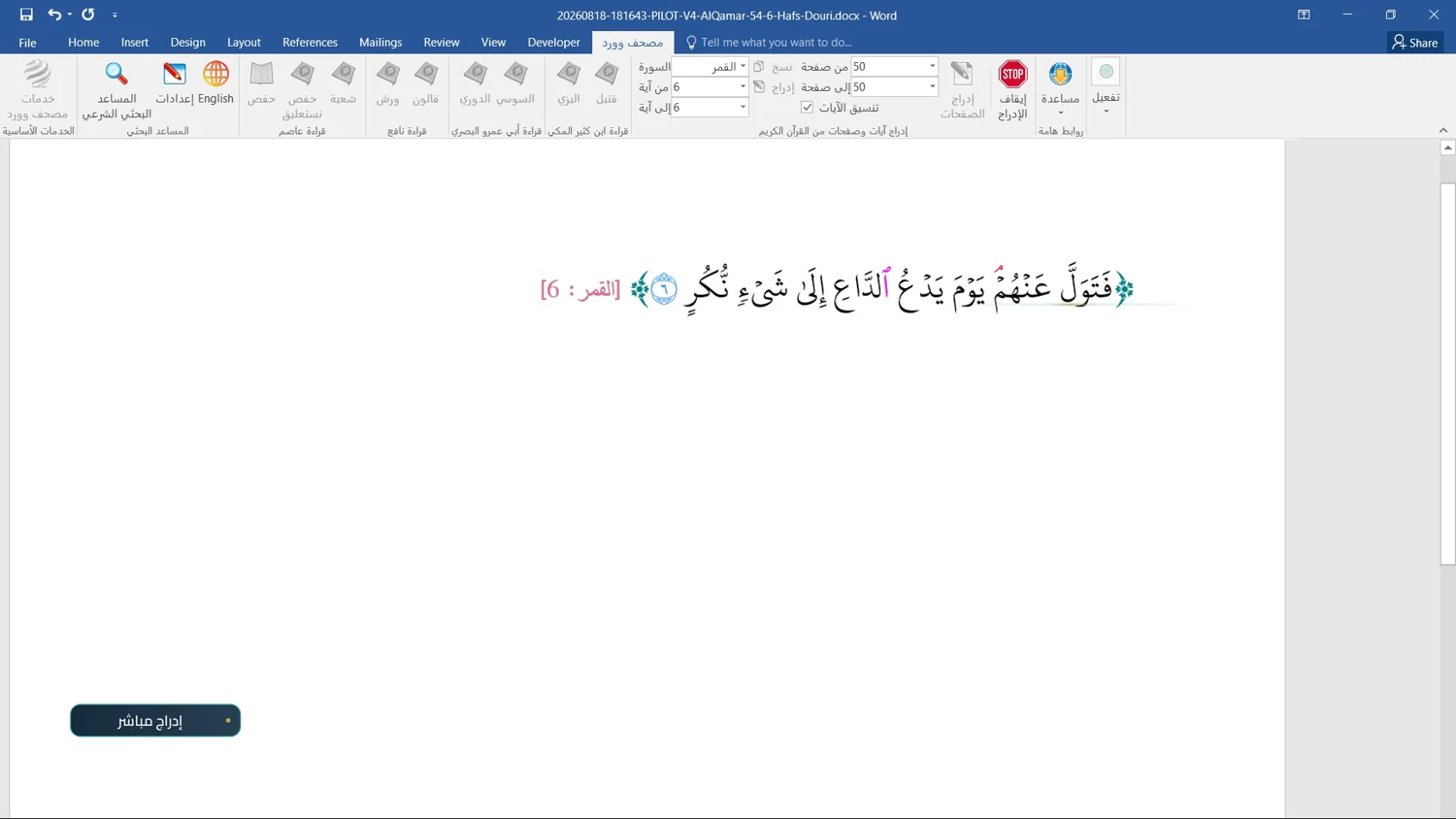
Search a whole word or part of one, then insert a verse, part of a verse, a passage, a surah or a page following Madinah Mushaf pagination. Use the add-in tools or keyboard shortcuts to insert Uthmani text directly into Word.
The Holy Quran
The Holy Quran
02Recitations and scripts

Eight narrations, with documented sources

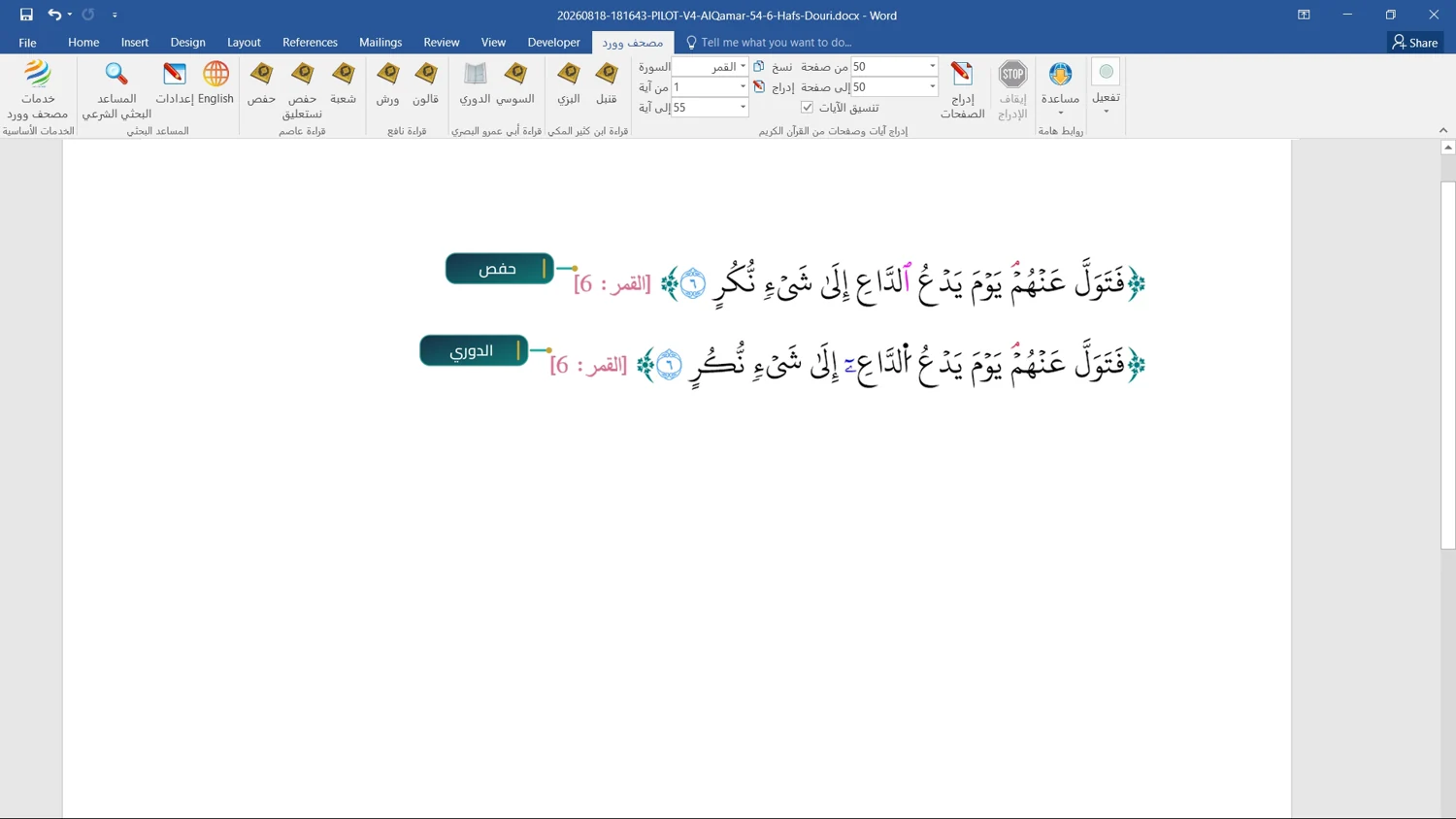
Hafs and Shu‘bah from Asim; Warsh and Qalun from Nafi‘; al-Duri and al-Susi from Abu Amr; al-Bazzi and Qunbul from Ibn Kathir. Hafs is also available in Nastaliq. The narration data and fonts come from the official King Fahd Glorious Quran Printing Complex website.

Recitations and scripts
03Tajweed colour controls

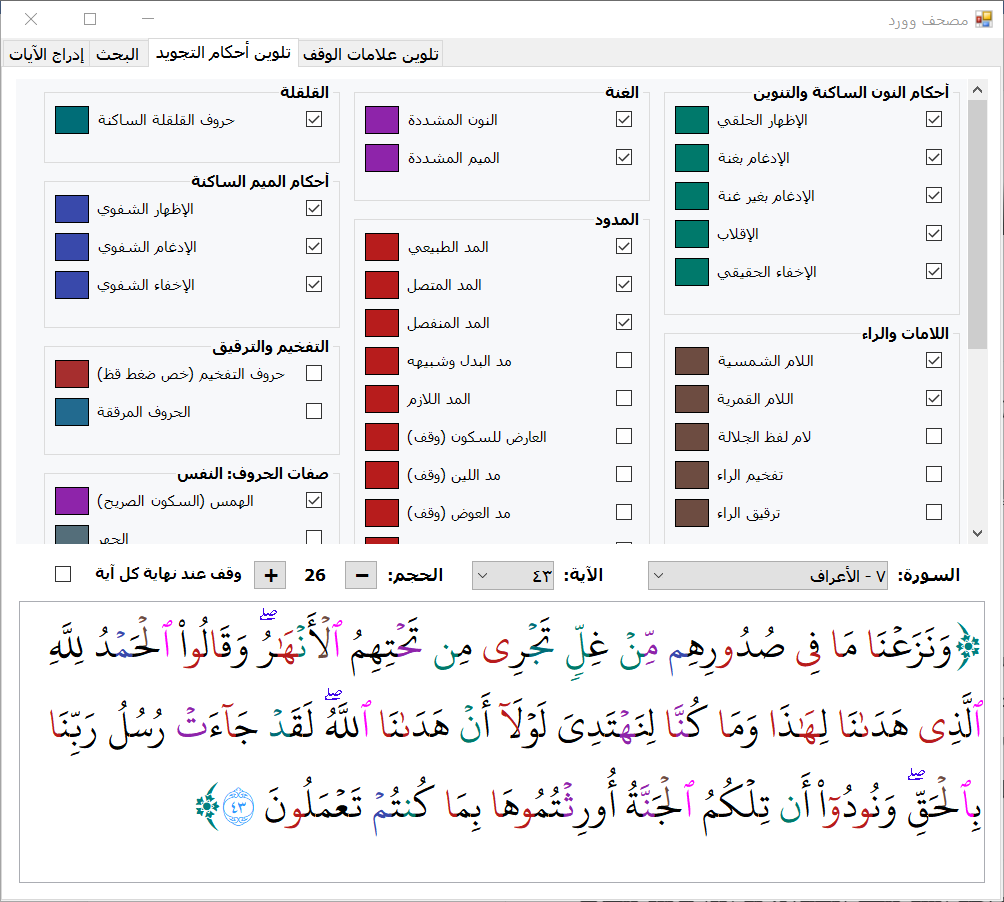
Choose a rule and its colour, then preview the verse

Enable the rules you want to highlight, turn others off, and choose a colour for each rule in the Tajweed controls tab. Select a surah and verse and adjust the preview size before inserting the text. Rule colouring supports Hafs, Warsh and Qalun, with continued support for Hafs in Uthmani and Nastaleeq scripts.

Tajweed controls with rule selection, colours and a verse preview
04Tajweed in three narrations

Tajweed colouring for Hafs, Warsh and Qalun

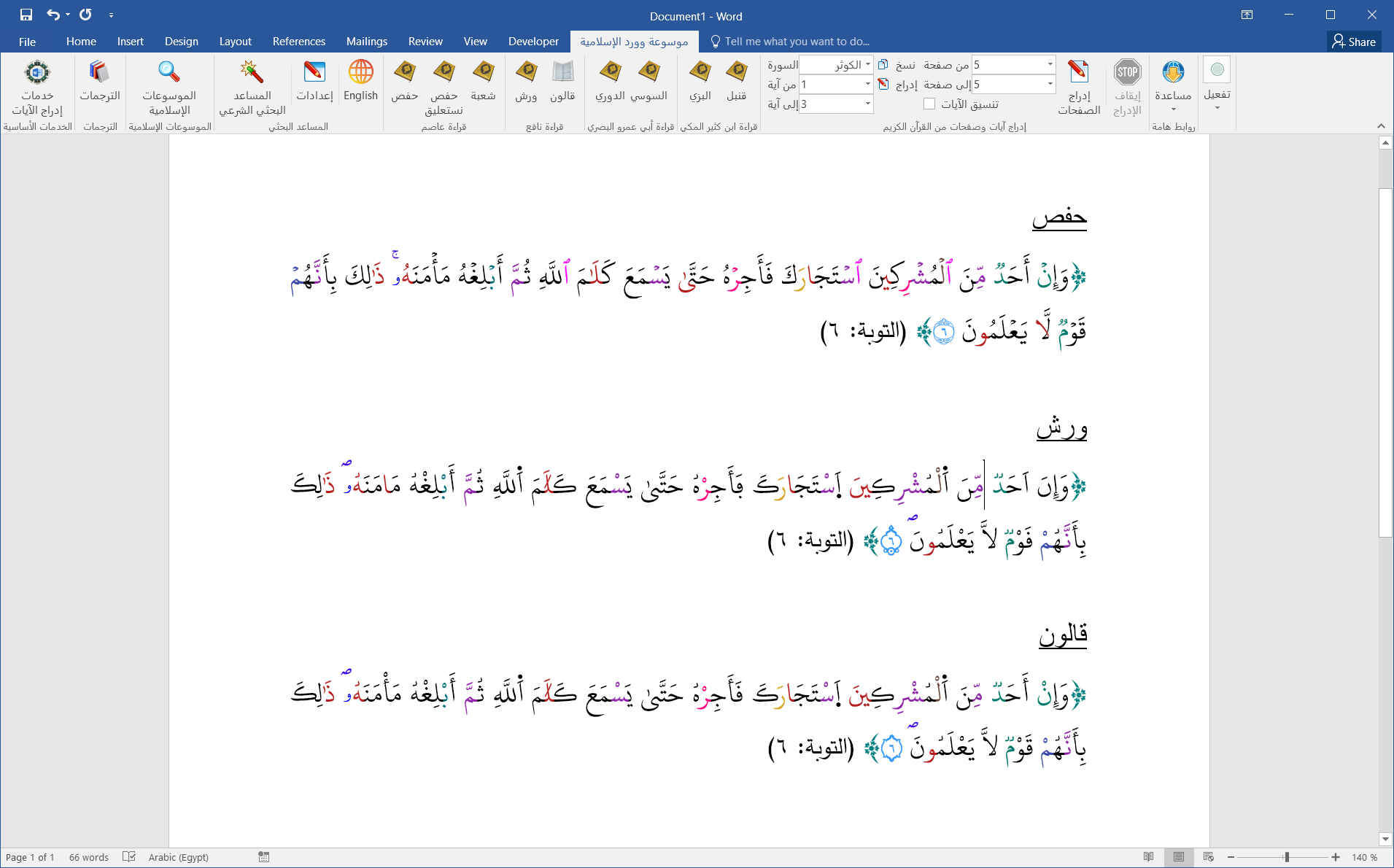
Tajweed rule colouring now supports Warsh and Qalun alongside Hafs. Insert the verse in your chosen narration with its Tajweed rules highlighted in Word. This example shows Surah At-Tawbah, verse 6, in all three narrations: Hafs, Warsh and Qalun.

Surah At-Tawbah 9:6 with Tajweed colouring: Hafs at the top, Warsh in the middle and Qalun at the bottom.
05Quran pages and the colour key

A complete page with a clear colour key

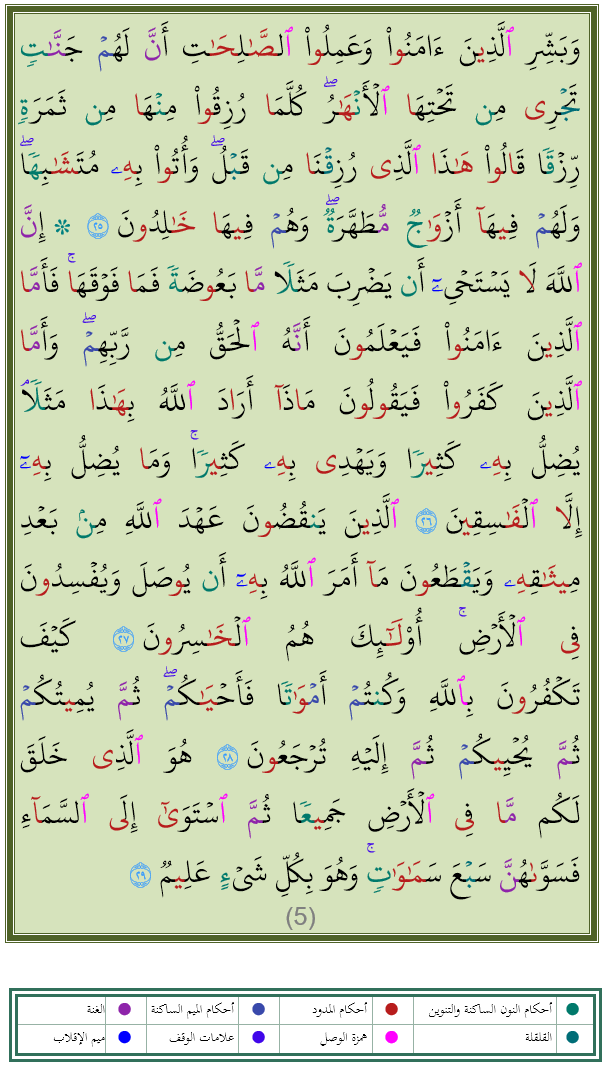
Insert a complete Quran page with Tajweed colouring and a table explaining the selected colours underneath. This example shows the full page without marginal notes, followed by its colour key, to support review and classroom explanation.

Complete Quran page without marginal notes, with its colour key below
06Visual learning and memorisation

Build a teaching resource around the verses

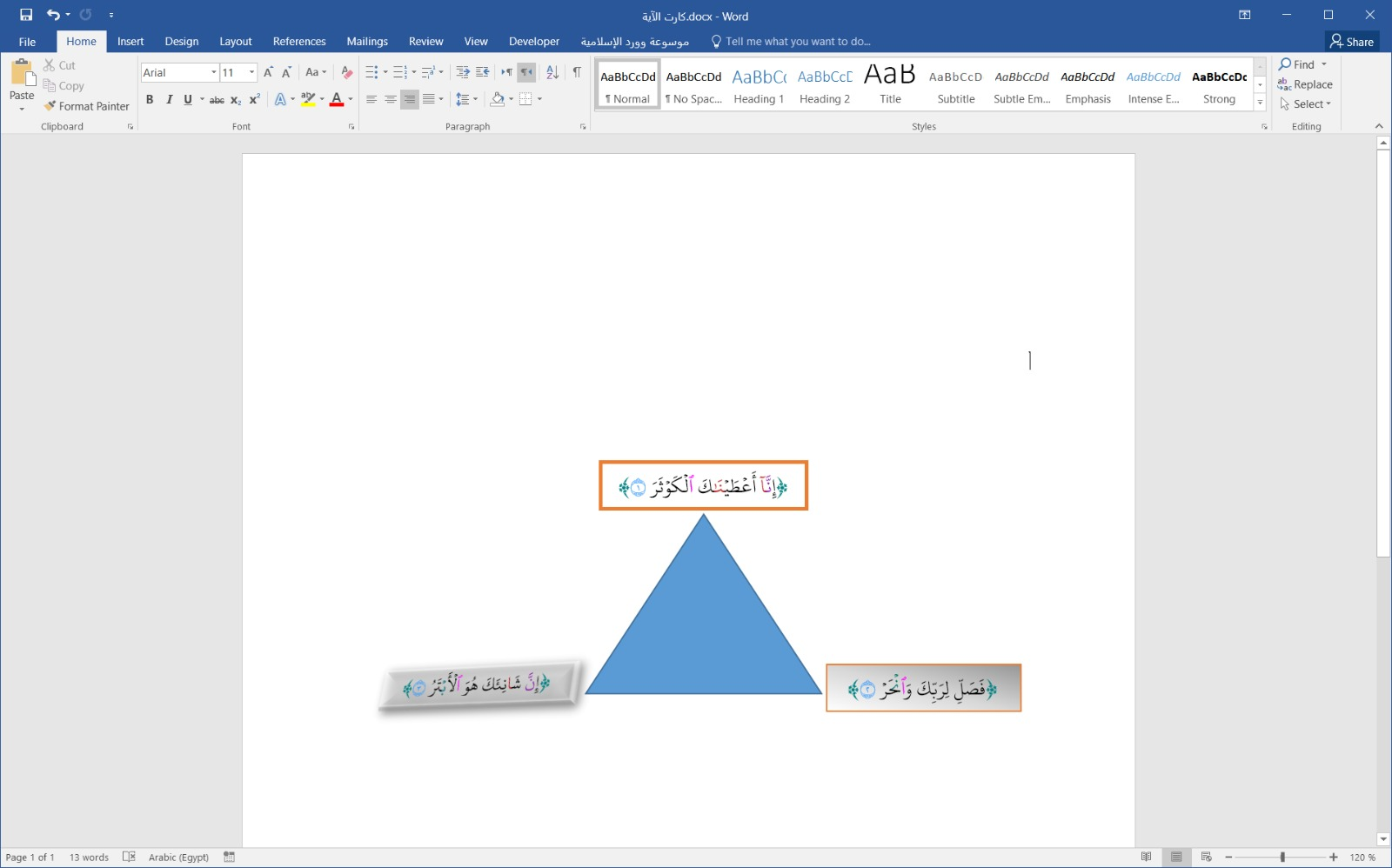
Insert verses into text boxes, then arrange them with shapes using Word’s tools to prepare a visual aid for memorisation and learning recitation rules. In this user-created example, the three verses of Surah Al-Kawthar sit around the vertices of a triangle, retaining their inserted colours.

A user-created Word example: the three verses of Al-Kawthar around a triangle
0745 translations of Quranic meanings

Bring the meaning to your readers

Select and order translations, set a default, and choose whether to include the translation name and footnotes. Supported single-verse insertion in Hafs can append the translation beneath the verse. Texts are attributed to their translators and QuranEnc.

45 translations of Quranic meanings
08Nine Islamic encyclopedias

8,589 books to build your own library

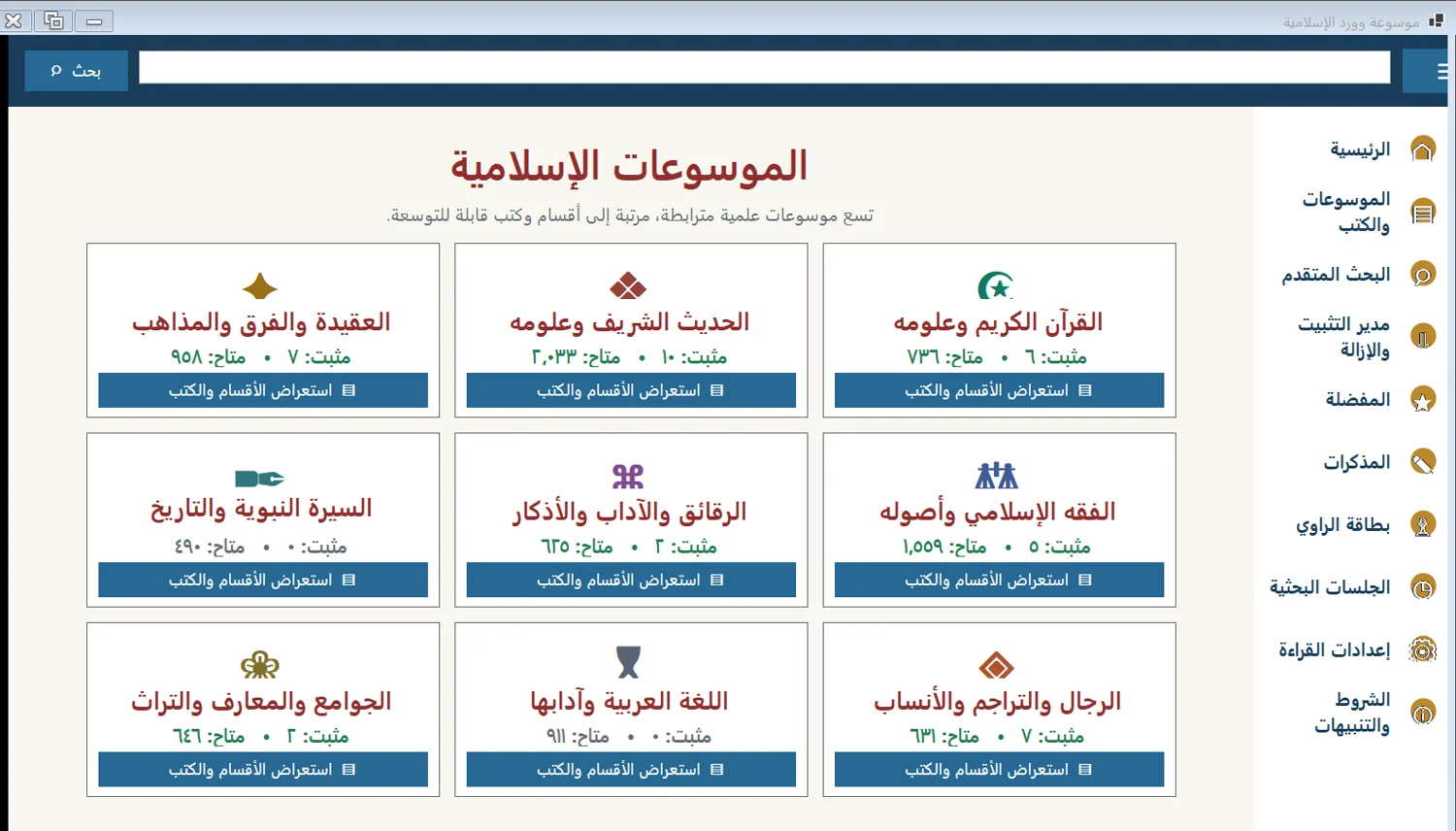
Browse the catalog and download the books your work needs. Read chapters, consult references and insert passages into Word. The encyclopedias cover tafsir, hadith, jurisprudence, creed, language and other Islamic disciplines.

Nine Islamic encyclopedias
09Advanced book search

Find words, phrases and Arabic roots

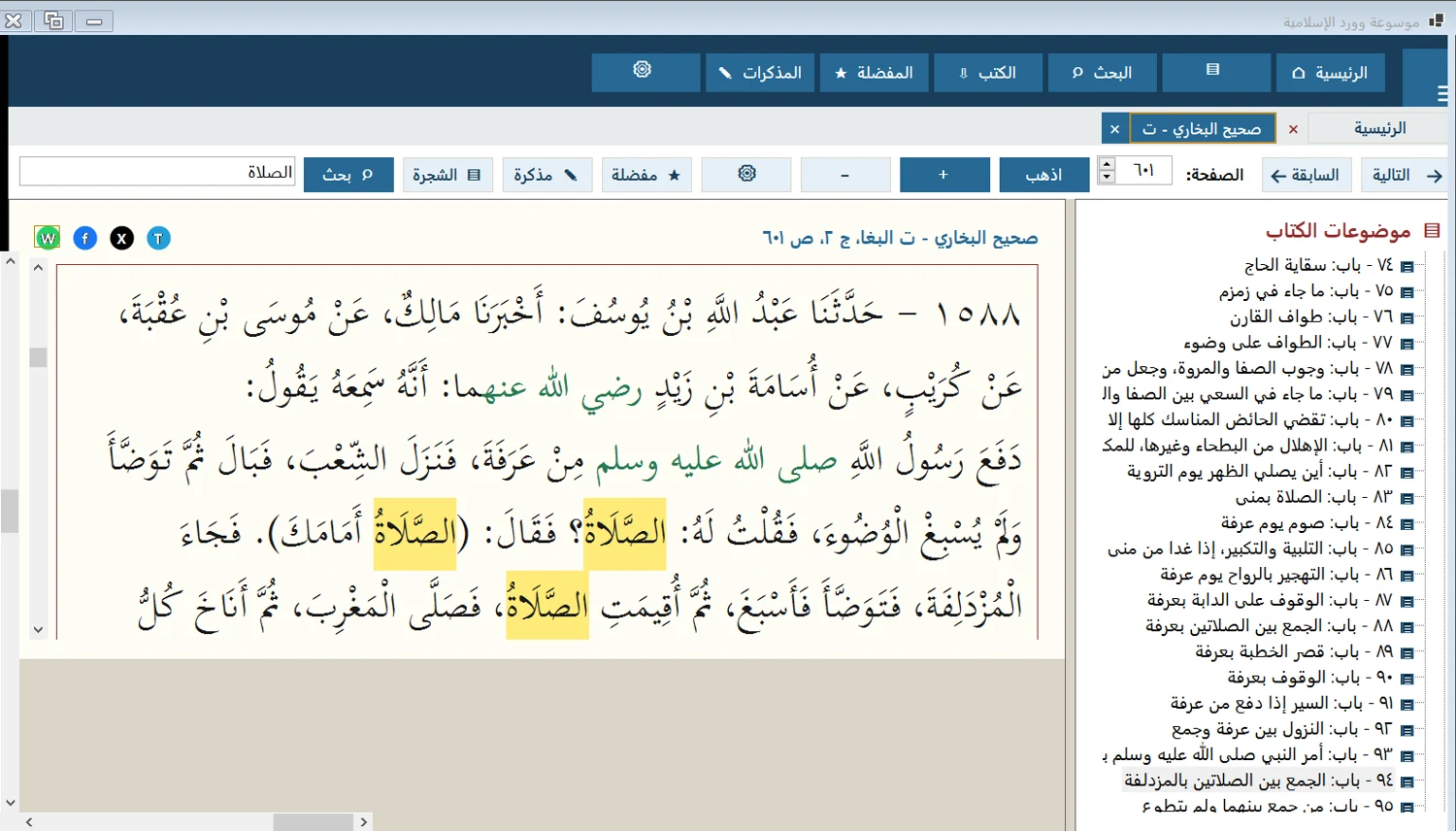
Search a word, consecutive or separated words, all or any terms, or an Arabic root. Highlighted matches help you review each passage in context. Search covers the books installed and indexed on your computer.

Advanced book search
10Bookmarks

Keep important pages in your bookmarks

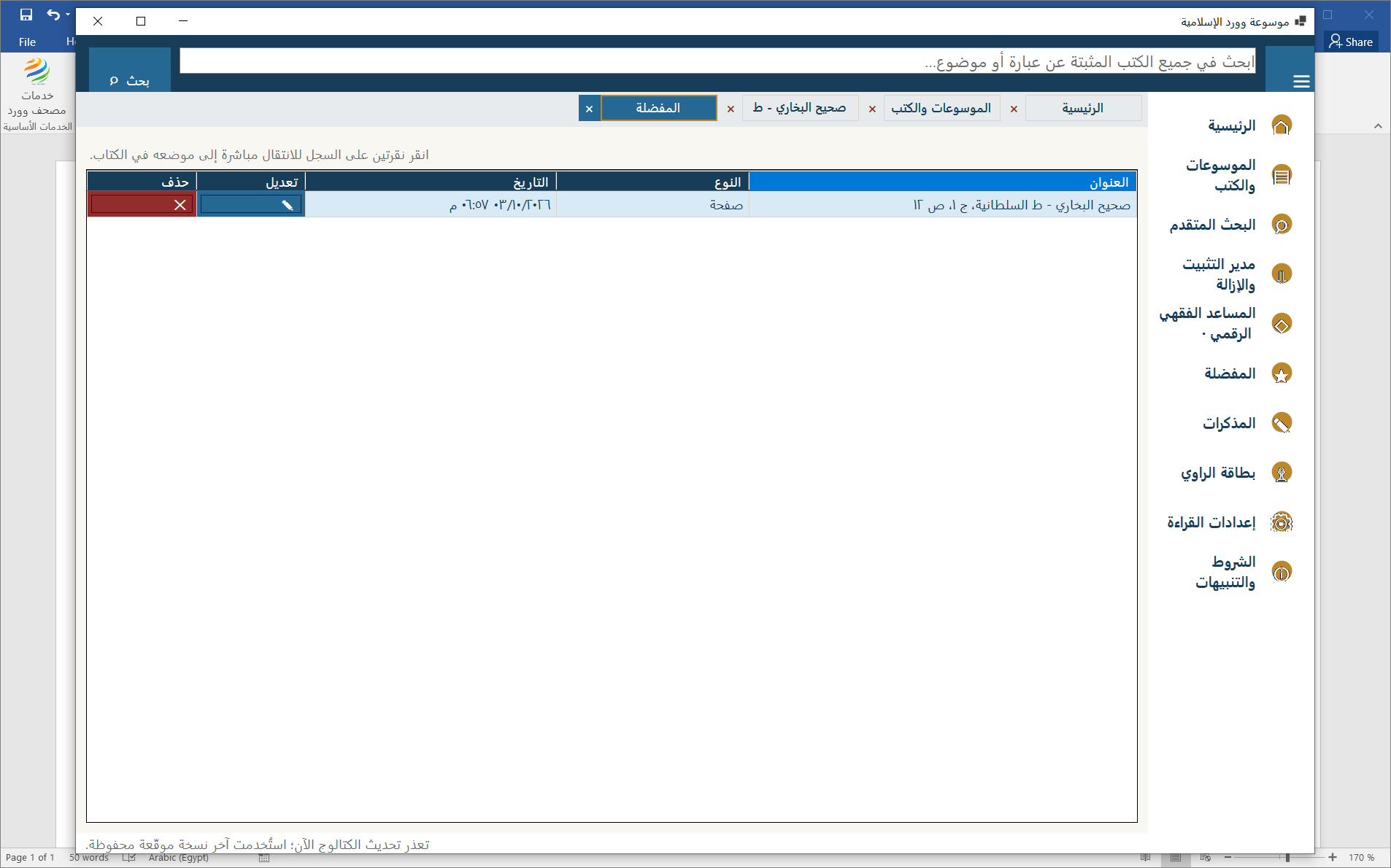
Bookmark a page with its title and reference, then return directly to its place in the book. Keep the passages you need for a paper or lesson within easy reach.

Bookmarks
Bookmarks
11Reading notes

Save an observation with its source

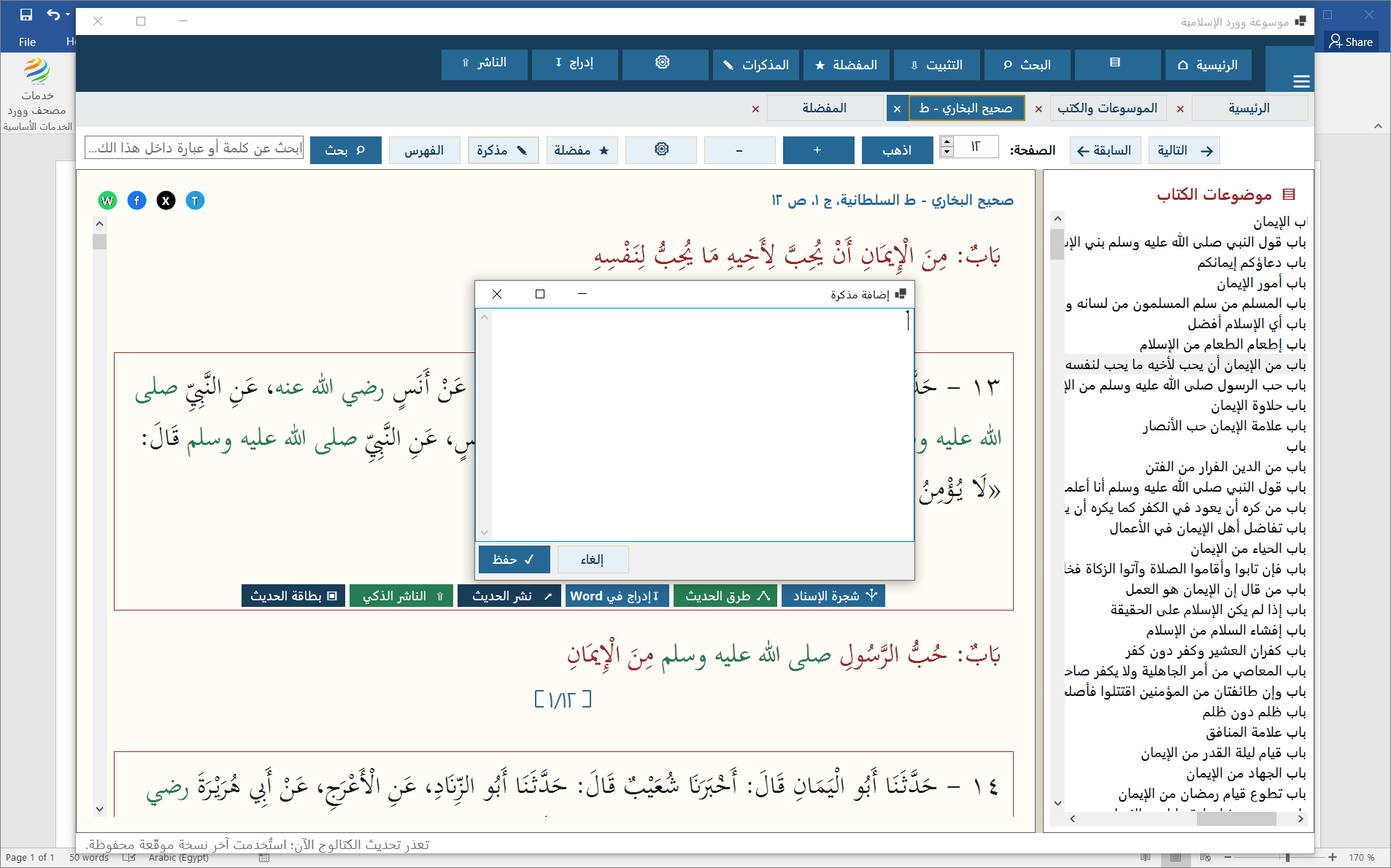
Add a note to a page or selected passage. The notes list brings together the book, location and your observation, so you can return to the page to continue reading and writing.

Adding a note to a book page
12Hadith research

Explore transmission routes and narrators

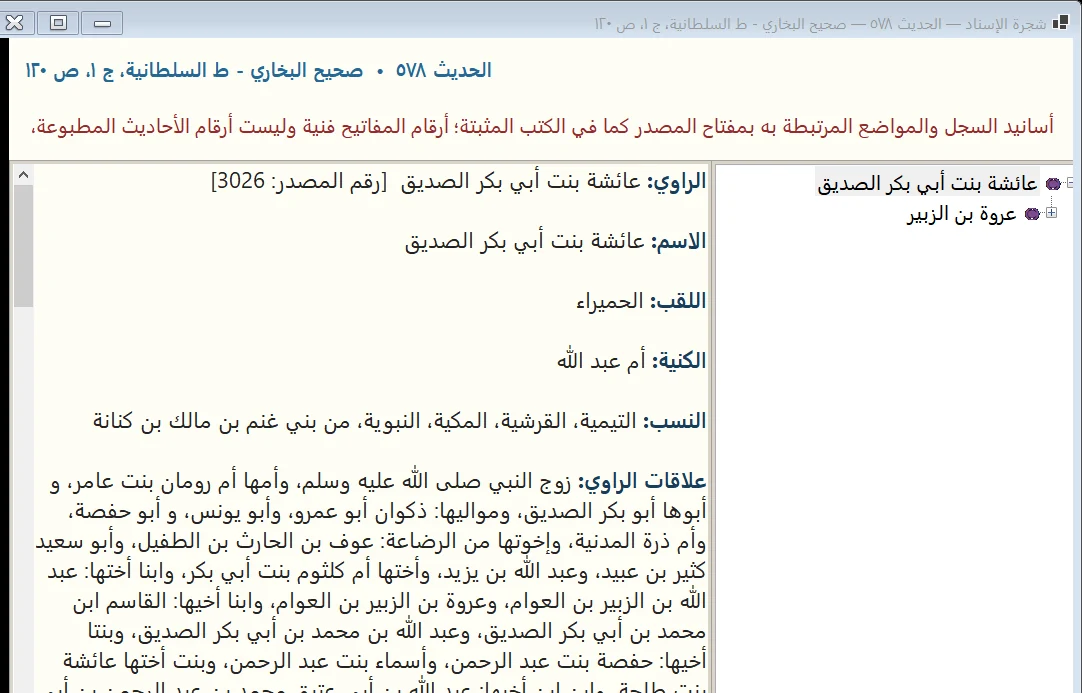
View isnad trees, hadith routes and narrator profiles where data is available. Consult the text, edition and context alongside narrator information. These research tools do not independently authenticate a hadith.

Hadith research
Hadith research
13From reading to sharing

Prepare a passage for publication

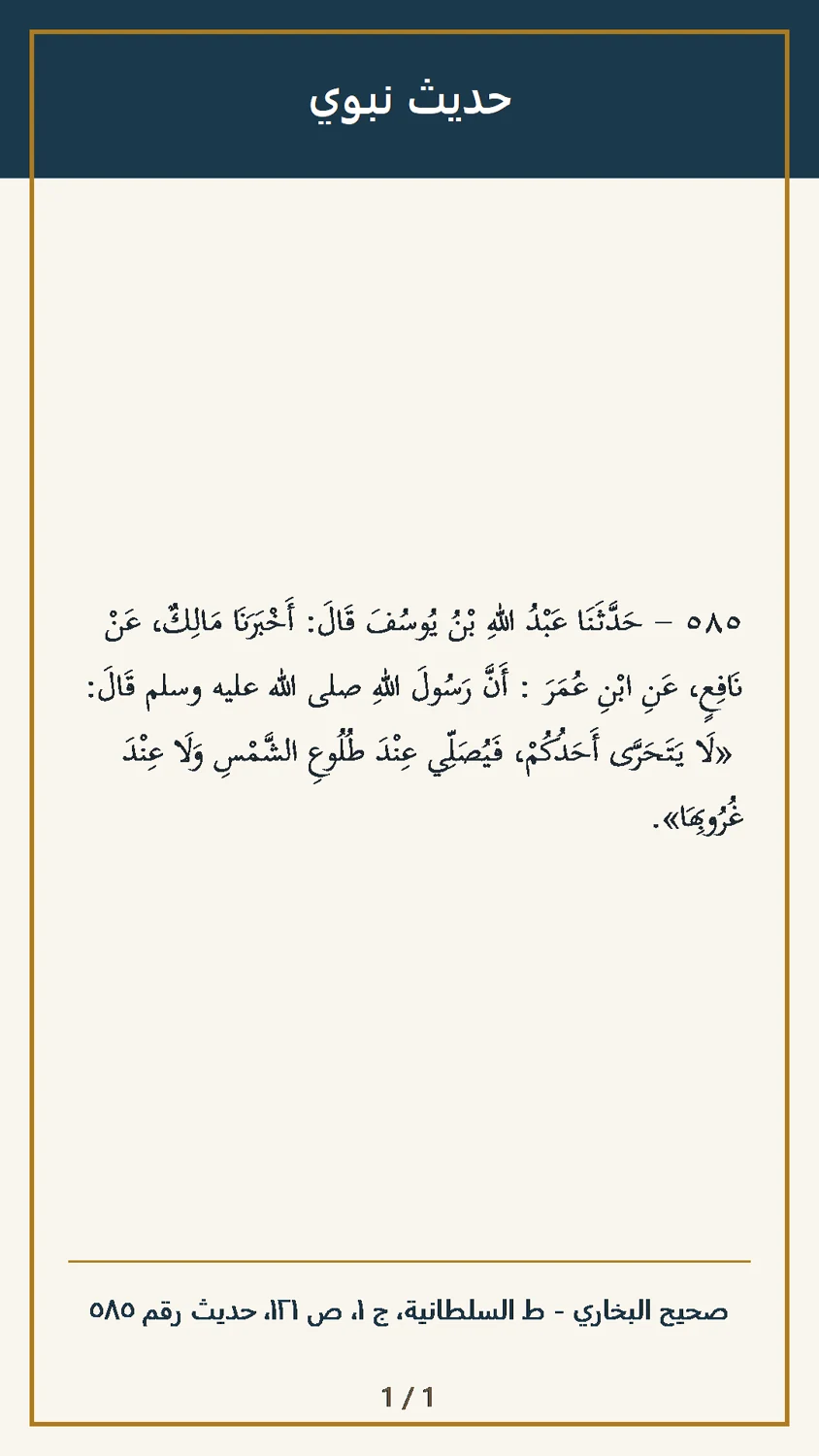
Insert a hadith into Word, create a hadith card or share a selected passage through WhatsApp and social platforms. You can also send material to Smart Publisher for review and publication, keeping its reference at hand.

From reading to sharing
14Smart Sharia researcher

Explore Quranic topics and meanings

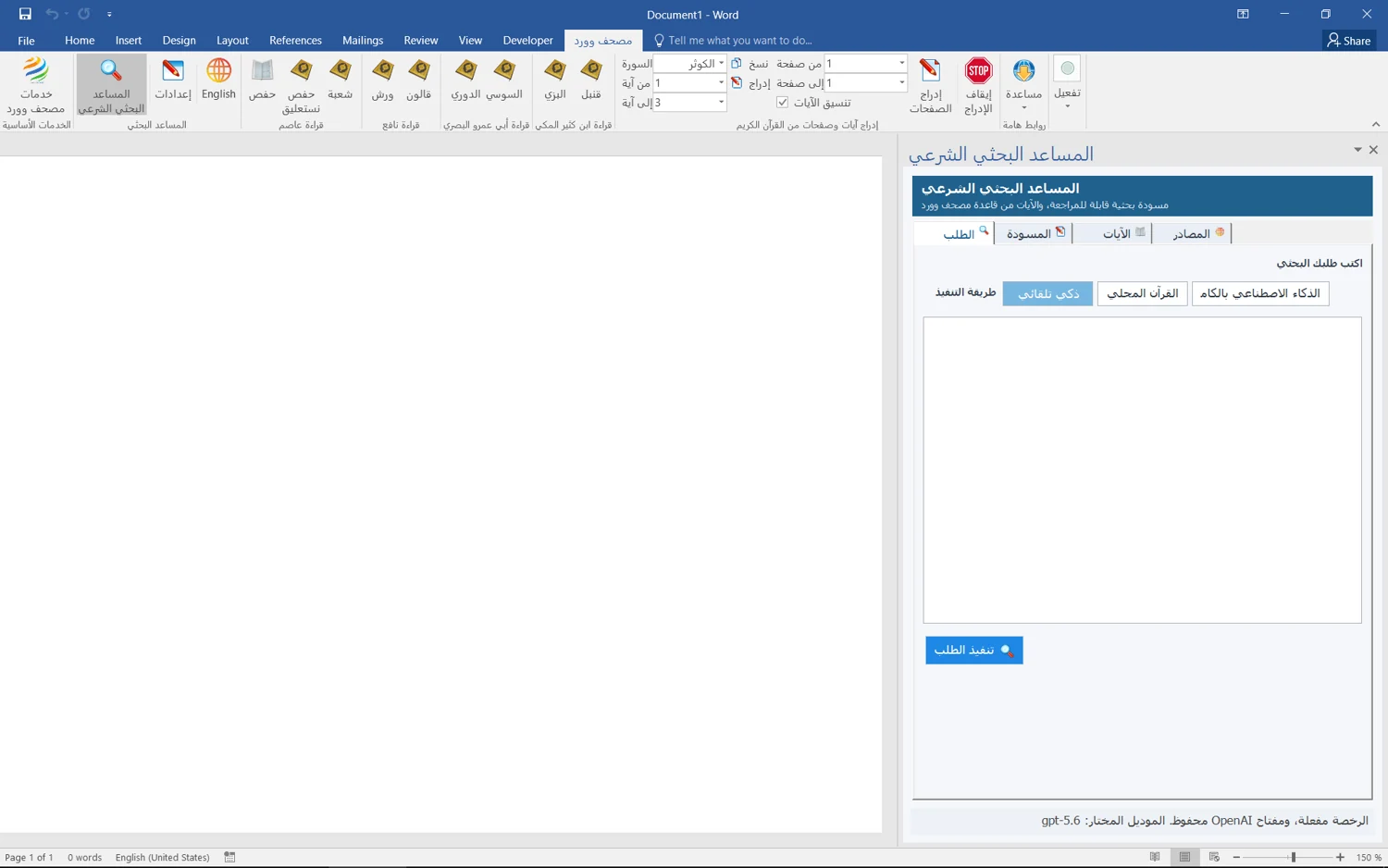
Use thematic and semantic Quran search to explore a subject and organize a draft for review. Check the returned verses, text and sources. Availability and service requirements depend on your edition and the tool used.

Smart Sharia researcher
15Digital Fiqh Assistant

An initial answer, with sources to review

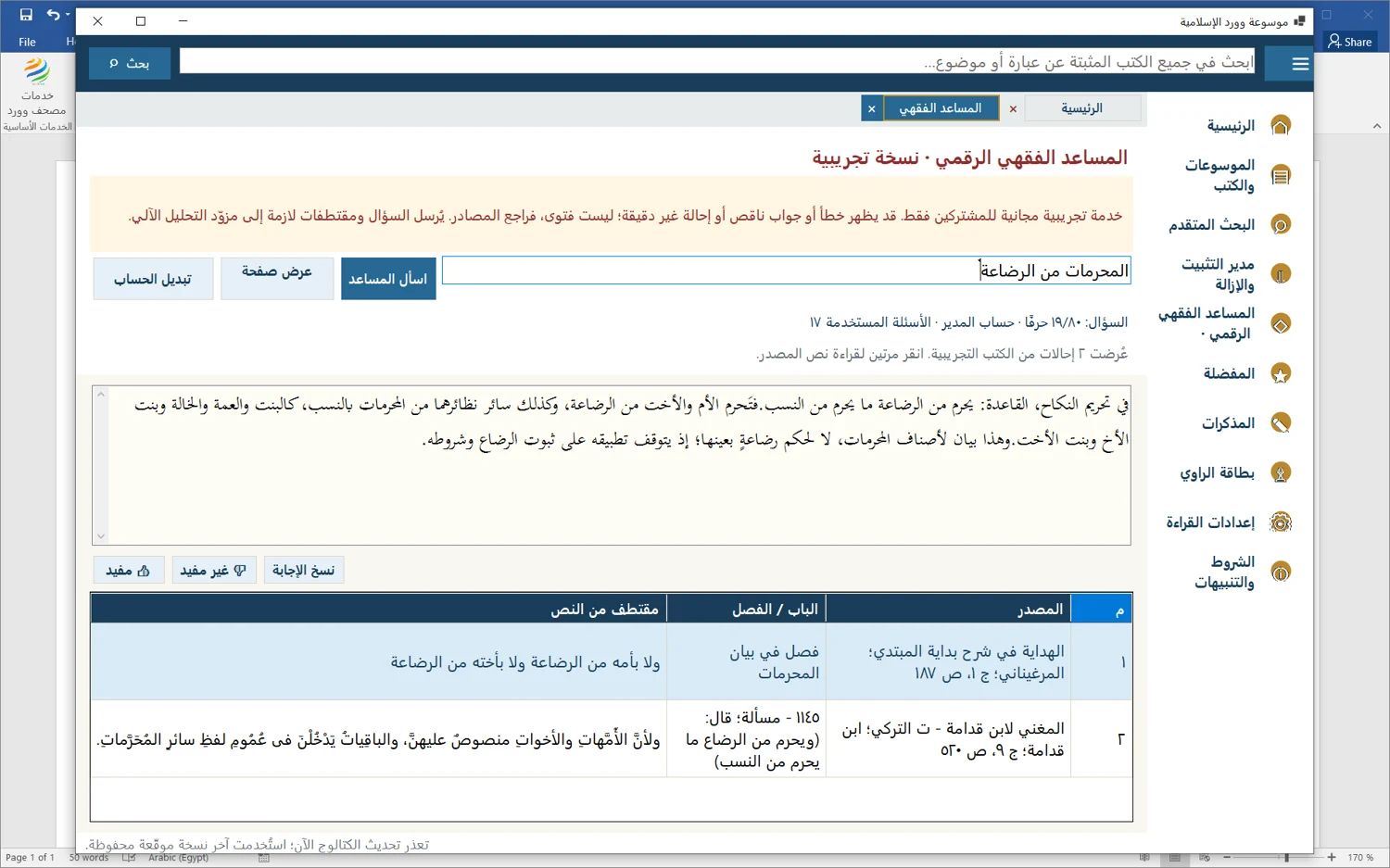
Ask a question to receive a short answer and source excerpts you can open and examine. This experimental service is for eligible purchasers after sign-in. Answers and citations may be inaccurate; they are not fatwas or a substitute for qualified scholars.

Digital Fiqh Assistant
16Research sessions

Save your research session and return to your place

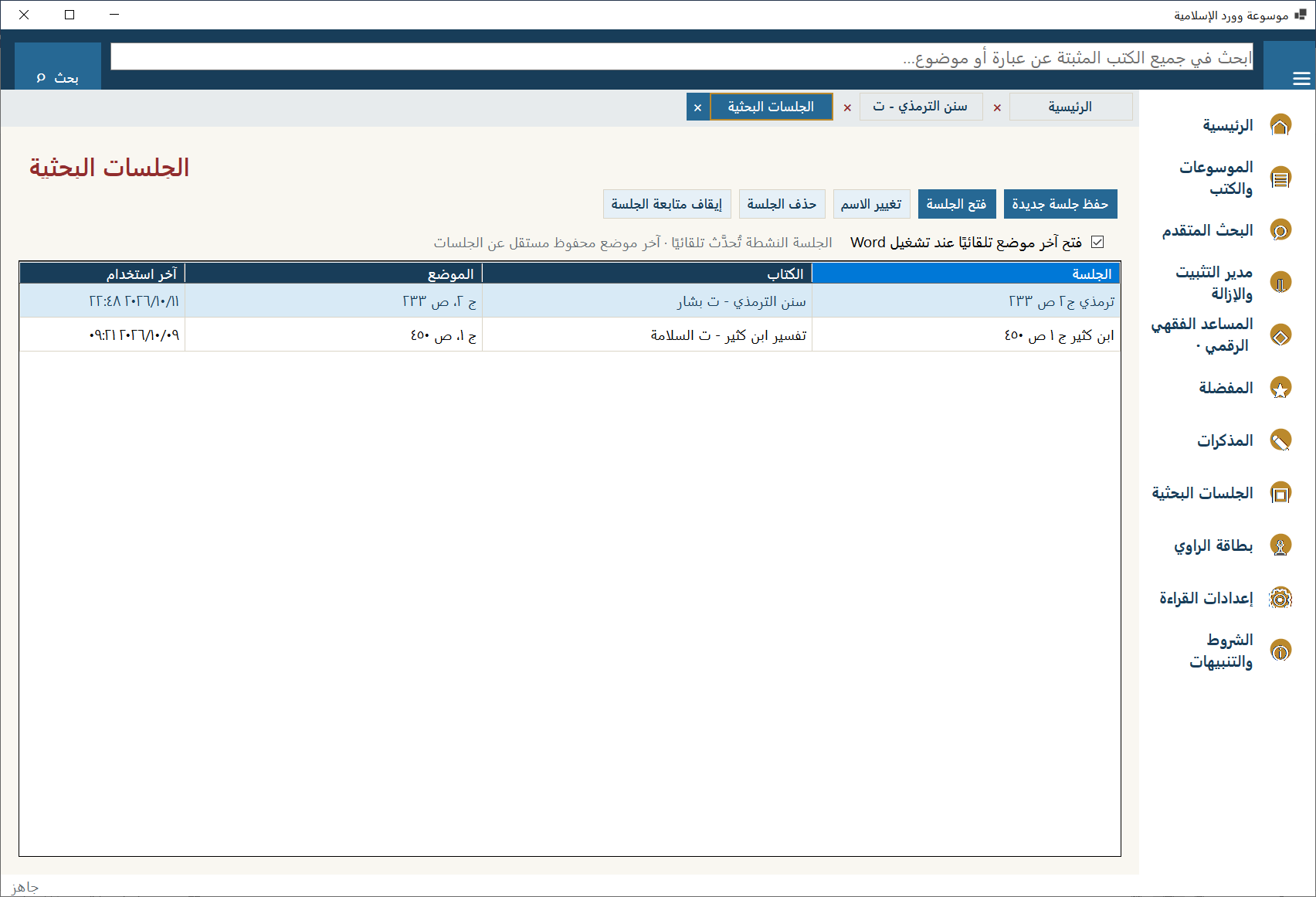
Save a session with a meaningful name, then reopen it to resume reading at its saved location in the book. Rename or delete sessions, stop tracking the active session, and choose whether Word opens your last reading location automatically.

Research sessions: save, reopen and manage reading locations
Who is it for?

Who uses the encyclopedia

For researchers, students, teachers, preachers, academic institutions, content creators and Islamic graphic designers. With the Holy Quran in Uthmani script at your fingertips, preparing sermons, lessons and research, writing books and publishing on digital platforms becomes much easier.

Researchers and students

Read sources, search passages and cite them.

Teachers and preachers

Prepare lessons, sermons and teaching material.

Academic institutions

Organize reading, research and educational writing.

Content creators

Select referenced passages and prepare them for sharing.

Islamic graphic designers

Use Quran text in Uthmani script in visual work.

Authors and publishers

Format passages and citations in books and manuscripts.

Workflow

Installing the encyclopedia and downloading books

Install the software, choose your books and tools, then start with your own document.

01

Install and open Word

Get the available package from the download page, follow the installation instructions and open a document.

02

Choose your books

The encyclopedia package starts without installed books. Pick what you need from the catalog and download it on demand.

03

Read, then insert

Check the source passage before inserting it. Book insertion requires opening the encyclopedia from within Word.

BEFORE YOU START

Questions about using the encyclopedia

Are all books installed with the software?

No. The encyclopedia package starts without installed books. Choose a book, category or encyclopedia to download. Local search covers only installed, indexed books.

How do Basic and Advanced differ?

Basic focuses on core Quran tools. Advanced provides access to Islamic Encyclopedias and other gated features according to entitlement. Check the current plan details before purchase.

Can I work offline?

Local Quran tools, reading installed books and local search can work offline. Book downloads, catalog updates, publisher linking and some assistance services need internet.

Is Nastaleeq an extra recitation?

No. There are eight recitations from four reciters, plus an additional Nastaleeq type option for Hafs. It is not a ninth recitation. Availability depends on the licensed edition.

All frequently asked questions
Newsletter

Usage guides and release notes

Learn how to use new tools for reading, research and preparing educational material.

An account will be created if you do not already have one. Unsubscribe at any time.